
CARTE PC BLUETOOTH F8T002FR #F8T002FR - Bluetooth PC Card BELKIN - Free user manual and instructions
Find the device manual for free CARTE PC BLUETOOTH F8T002FR #F8T002FR BELKIN in PDF.


| Product Type | Bluetooth PC Card |
| Brand | Belkin |
| Model | F8T002FR |
| Interface | CardBus Type II (PCMCIA) |
| Bluetooth Standard | Version 1.1 |
| Frequency | 2.4 - 2.4835 GHz |
| Output Power | 0 dBm (1 mW), Class 2 |
| Range | Up to 10 meters indoors |
| Maximum Data Rate | 723 Kbps |
| Dimensions (L x W x H) | 100.7 x 54 x 5 mm |
| Weight | 38.27 g |
| Supply Voltage | 5.0 V DC |
| Nominal Current | 350 mA |
| Supported Operating Systems | Windows 98 SE, Me, 2000, XP |
| Security | Encryption and authentication up to 128 bits |
| Supported Profiles | Service Discovery, File Transfer, Serial Port, DUN, LAN, Generic Object Exchange, Business Card (Push, Pull & Exchange) |
| Box Contents | PC Card, Installation CD-ROM, User Manual, Quick Installation Guide |
| Maintenance and Cleaning | Clean with a soft, dry cloth. Avoid moisture and extreme temperatures. |
| Spare Parts and Repairability | No user-serviceable parts. For repairs, contact customer service. |
| Warranty | 1 year limited |
Frequently Asked Questions - CARTE PC BLUETOOTH F8T002FR #F8T002FR BELKIN
User questions about CARTE PC BLUETOOTH F8T002FR #F8T002FR BELKIN
0 question about this device. Answer the ones you know or ask your own.
Ask a new question about this device
Download the instructions for your Bluetooth PC Card in PDF format for free! Find your manual CARTE PC BLUETOOTH F8T002FR #F8T002FR - BELKIN and take your electronic device back in hand. On this page are published all the documents necessary for the use of your device. CARTE PC BLUETOOTH F8T002FR #F8T002FR by BELKIN.
USER MANUAL CARTE PC BLUETOOTH F8T002FR #F8T002FR BELKIN
P74072ea_F8T002_man.qxd 18-03-2003 14:09 Page 1
BELKIN
BLUETOOTH™ PC CARD
USERMANUAL
CARTE PC BLUETOOTH™
MANUEL DE L'UTILISATEUR
BLUETOOTH™ PC CARD
BENUTZERHANDBUCH
BLUETOOTHPC-KAART
HANDLEIDING
SCHEDA PER PC BLUETOOTH™
MANUALE UTENTE
TARJETA DE PC BLUETOOTH™
MANUAL DEL USUARIO

Bluetooth
F8T001
P74072ea_F8T002_man.qxd 18-0

14:09
Page 2
BELKIN
BLUETOOTH™ PC CARD USER MANUAL

Bluetooth
F8T002
TABLE OF CONTENTS
Introduction 2
Product Features 3
Package Contents 5
PC Card Specifications 6
System Requirements 7
Supported Profiles. 8
Software Setup 9
Installing the PC Card 13
Bluetooth Configurations Settings 17
"My Bluetooth Places" Program 20
Uninstalling the Software 24
Glossary 26
FCC/CE Statement 27
Information 30
INTRODUCTION
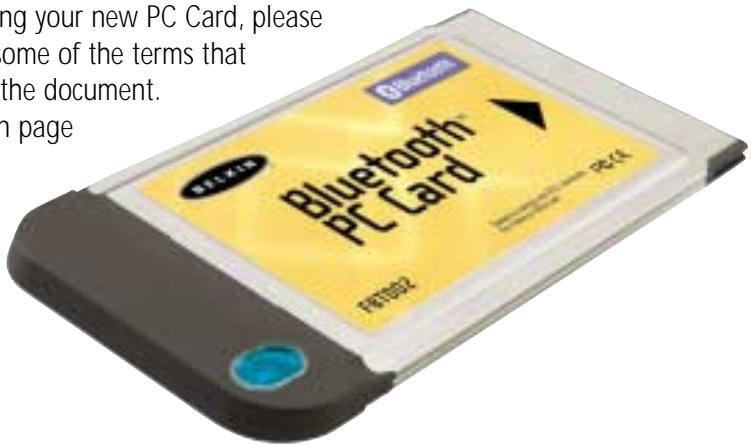
Thank you for purchasing the new Bluetooth PC Card (the PC Card) from Belkin featuring Bluetooth wireless technology. Now you can connect your peripherals and computing devices up to 10 meters away without cables in your home, office, or while on the road. Establish ad-hoc connections between devices without having to configure a network.
Before you install and start using your new PC Card, please take a few minutes to review some of the terms that you will be seeing throughout the document. You will find a brief glossary on page 26 of this manual.
PRODUCT FEATURES
The PC Card is compliant with Bluetooth standard version 1.1 and provides the following features:
- Support for Microsoft® Windows® 98 SE, Me, 2000, and XP
- Operating distance of up to 10 meters
- Point-to-multipoint connections
- Support for data rates up to 721Kbps
- Built-in security: up to 128-bit encryption and authentication
PRODUCT FEATURES (CONT'D)
Your PC Card gives you the ability to do the following—without cables:
- Transfer files
- Access dial-up networks
- Connect to local area networks
- Perform an ActiveSync® session
- Connect to serial ports
- Exchange PIM data
- Send or exchange business cards
The basic functions of the Bluetooth neighborhood include:
Device discovery
Service discovery
- Establishing links with remote devices
PACKAGE CONTENTS
- Bluetooth PC Card
- CD-ROM for installation software and documentation
- User Manual
- Quick Installation Guide
PC CARD SPECIFICATIONS
Bluetooth Compliance: Version 1.1
Physical Interface: CardBus Type II
Operating Frequency: 2.4 to 2.4835GHz
Output Power: 0 dBm (1mW), Class 2
Sensitivity: -80 dBm @ 1E-3 BER
Data Rate: 723/57.6Kbps
Operating Range: 10-meter radius indoors
Network Topology: Point-to-Multipoint
Packet Support: 1/3/5 Slots Packet
Operation: Master/Slave
Frequency Stability: +/- 10PPM
LED Indicator: Power On, Data Traffic
Antenna Type: Internal
Dimensions: 100.7mm (L) x 54mm (W)
x 5mm (H)
Weight: 1.35oz
Operating Temp: 0 to 50 degrees Celsius
Storage Temp: -33 to 55 degrees Celsius
Humidity: 93% (non-condensing)
Supply Voltage: 5.0VDC
Nominal Current: 350mA
Support Profiles: Service Discovery, File Transfer,
Serial Port, DUN, LAN, Generic
Object Exchange, Business
Card, Push, Pull & Exchange
OS Support: Windows 98 SE, Me, 2000,
Specifications subject to change without notice
SYSTEM REQUIREMENTS
- PC-compatible computer, CPU speed 200MHz or above
Memory: 64MB or above, 128MB recommended - One available CardBus Type II-compatible PCMCIA slot
- Windows 98 SE, Me, 2000, and XP
SUPPORTED PROFILES
The services supported by your PC Card are defined as "Profiles". Available profiles include:
- Generic Access
Service Discovery - Serial Port
- LAN Access
- Dial-Up Networking
- Generic Object Exchange
- Object Push
- File Transfer
- Synchronization
SOFTWARE SETUP
Do not insert the PC Card into your notebook computer prior to installation.
Software Setup for Windows 98 SE, Me, 2000, and XP
- Insert the software installation CD-ROM into the PC's CD-ROM drive.
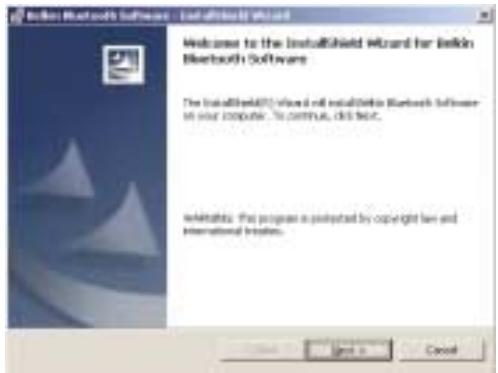
- The "Software InstallShield Wizard" window appears. Click on "Next" to begin the installation process.
SOFTWARE SETUP [CONT'D]
- Choose "I accept the terms in the license agreement" to accept the license agreement. Click on "Next".
![BELKIN CARTE PC BLUETOOTH F8T002FR #F8T002FR - SOFTWARE SETUP [CONT'D] - 1](/content/2019/07/160131/images/243be62beec7aa1c077eea1825e378b9afc8cd933b50d2e4b3255e9eeb977e1b.jpg)
- Name your device and select the type of computer you are installing your PC Card in. Click on "Next".
![BELKIN CARTE PC BLUETOOTH F8T002FR #F8T002FR - SOFTWARE SETUP [CONT'D] - 2](/content/2019/07/160131/images/bfbd5c624e233d428aa70f4a3e2450e072f59f69306b85f1bc174717966b38cf.jpg)
SOFTWARE SETUP (CONT'D)
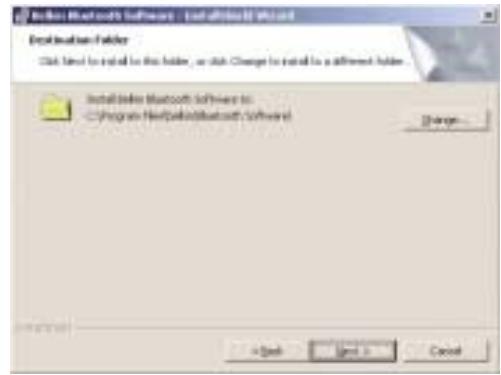
-
Specify the location where the software and driver will be installed on your hard drive. It is recommended that you install the software and driver to the default directory "C:\Program Files\belkin\Bluetooth Software". Click on "Next".
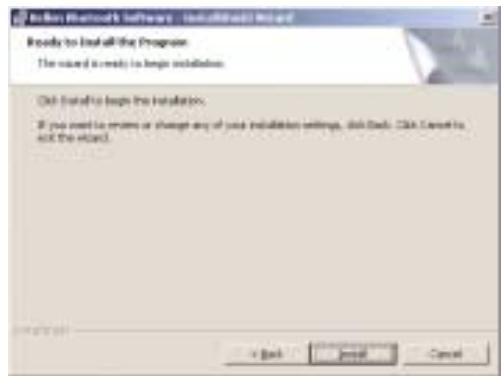
-
Confirm that the device software and driver are ready to be installed and click on "Install".
SOFTWARE SETUP [CONT'D]
Note: If at any time during the installation process you receive a "Device Signature Notice", click "Yes" or "OK" to continue the installation process.
- Confirm the completion of installation. Click "Finish" and then restart the system.
![BELKIN CARTE PC BLUETOOTH F8T002FR #F8T002FR - SOFTWARE SETUP [CONT'D] - 1](/content/2019/07/160131/images/229124a6a029dcff70f984f30a641d003bcc060ba0615b07e427554db77e4f5d.jpg)
INSTALLING THE PC CARD
Note: The PC Card is sensitive to static electricity, which can damage its delicate electrical components. To protect your device, always touch the metal chassis of your computer before handling the PC Card. This will ground any potential electrostatic discharge. Dry weather conditions or walking across carpeted floors may cause you to acquire an electrostatic charge.
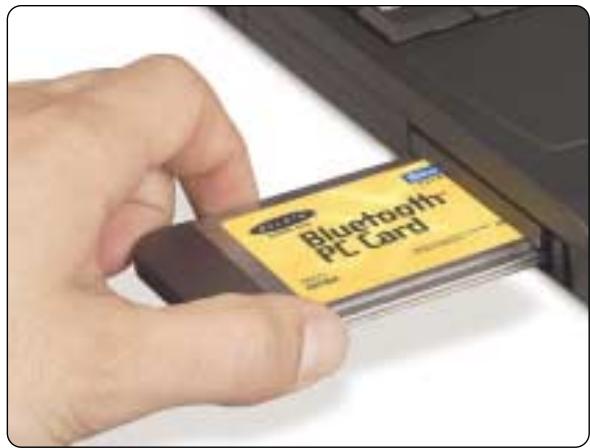
- After installing the software and restarting the system, insert the PC Card into an available PCMCIA slot of your notebook computer with the color label facing up.
INSTALLING THE PC CARD [CONT'D]
- You should see your system register a new hardware device found.
![BELKIN CARTE PC BLUETOOTH F8T002FR #F8T002FR - INSTALLING THE PC CARD [CONT'D] - 1](/content/2019/07/160131/images/7e47aa699798c58b73f69bbce7bcbd12d797ee2d799bd5c28934940677ed93ed.jpg)
- Choose "Search for a suitable driver for my device". Click on "Next".
![BELKIN CARTE PC BLUETOOTH F8T002FR #F8T002FR - INSTALLING THE PC CARD [CONT'D] - 2](/content/2019/07/160131/images/357602dc1dc921e134c077f46553f16f7327aca20b389f9f571f4c9a61347ce2.jpg)
INSTALLING THE PC CARD [CONT'D]
-
Choose "Specify a location". Click on "Next".
-
Confirm that the device driver was found and click on "Next".
![BELKIN CARTE PC BLUETOOTH F8T002FR #F8T002FR - INSTALLING THE PC CARD [CONT'D] - 1](/content/2019/07/160131/images/fad7fa66a11a1d5eccb9253f2f8d13797ef378abc499a2e0c37a7a7aa077385f.jpg)
![BELKIN CARTE PC BLUETOOTH F8T002FR #F8T002FR - INSTALLING THE PC CARD [CONT'D] - 2](/content/2019/07/160131/images/e4e8504ad772d3a8ff50b8e42946d7ea6e4c758e5ae463bc69cf9b1db36eb07e.jpg)
INSTALLING THE PC CARD (CONT'D)
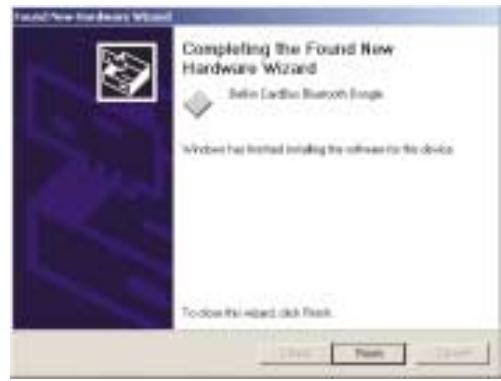
- A window will appear that confirms the completion of the hardware installation. Click on "Finish".
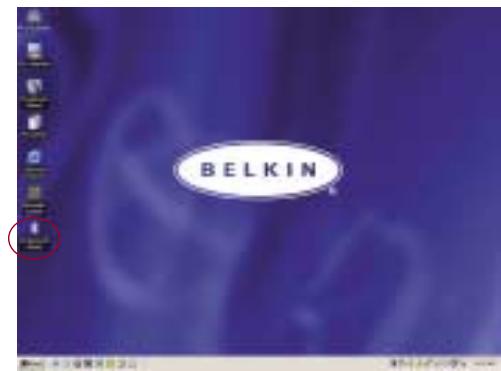
- "My Bluetooth Places" should appear on your screen. Your installation process is now complete.
BLUETOOTH CONFIGURATION SETTINGS
To customize the configuration settings of Bluetooth software for Windows operating systems, follow the instructions described below:
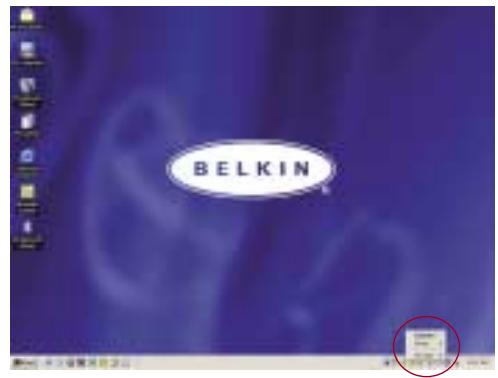
- Click on the Bluetooth icon on the lower right-hand side of the task bar of your screen. The "Bluetooth Configuration" window appears to allow you to customize the Bluetooth
configuration settings of "Explore", "Setup", or "Services". In the "Setup" menu, there are two extended items: "Security" and "Configuration".
BLUETOOTH CONFIGURATION SETTINGS (CONT'D)
- Click on "Configuration".
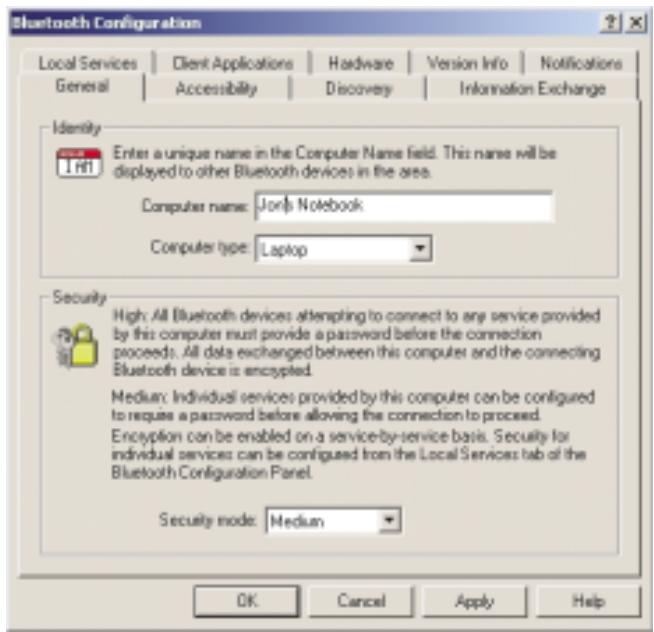
a) The "General" tab of "Configuration" allows you to customize the computer's user name, type, and security type.
b) The "Accessibility" tab allows you to specify which individual devices are allowed to access the user's computer.
c) The "Discovery" tab allows you to specify which individual devices, type of, or class of device the user's computer is allowed access to.
BLUETOOTH CONFIGURATION SETTINGS (CONT'D)
d) The "Information Exchange" tab allows you to specify the location of different types of files.
e) The "Local Services" tab indicates the services this computer makes available to other computers.
f) The "Client Applications" tab indicates the properties of each application.
g) The "Hardware" tab indicates device information of the user's hardware.
h) The "Version Info" tab indicates the module version of the user's software component
i) The "Notifications" tab lets you associate a sound (Windows*.wav file) with specific Bluetooth events.
"MY BLUETOOTH PLACES" PROGRAM
The "My Bluetooth Places" program provides a quick and easy way to perform different application services through Bluetooth connections. A variety of Bluetooth services and explanations of each service can be found in the Help file of the "My Bluetooth Places" program.
Bluetooth Services
Dial-up Networking: Allows your computer (as client) to establish a Bluetooth wireless connection to a Bluetooth device (as server) to access the server's modem service to the Internet.
Generic Serial: Allows your computer (as client) to establish a Bluetooth wireless connection to a Bluetooth device (as server) using a temporary serial port connection to allow legacy applications to utilize the Bluetooth connection.
LAN Access: Allows your computer (as client) to establish a Bluetooth wireless connection to a Bluetooth device (as server) to access the server's connected LAN network service.
FAX Client: Allows your computer (as client) to establish a Bluetooth wireless connection to a Bluetooth device (as server) to utilize the fax facility attached to the server.
"MY BLUETOOTH PLACES" PROGRAM [CONT'D]
FTP: Allows your computer (as client) to establish a Bluetooth wireless connection to a Bluetooth device (as server) to perform file system actions.
Inbox: Allows your computer (as client) to establish a Bluetooth wireless connection to a Bluetooth device (as server) to send files, e.g. business card, e-mail, etc., through server's personal information manager (PIM) actions.
OBEX IrMC Sync: Allows your computer (as client) to establish a Bluetooth wireless connection to a Bluetooth device (as server) to synchronize the two devices' mailing address book.
"MY BLUETOOTH PLACES" PROGRAM [CONT'D]
To use the "My Bluetooth Places" program, follow the instructions described below:
- Click "My Bluetooth Places" on your screen. Three icons—"My Device", "Entire Bluetooth Neighborhood", and "Add Bluetooth Connection"—appear inside the window.
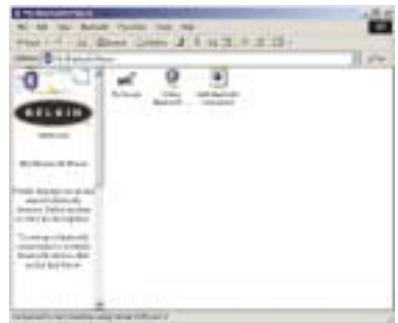
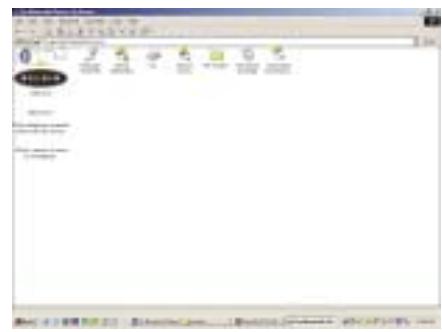
- Click "My Device" to see which of your application services are available to other devices. The icons without "X" indicate the available Bluetooth services.
"MY BLUETOOTH PLACES" PROGRAM [CONT'D]
- Click "Entire Bluetooth Neighborhood" from the "My Bluetooth Places" window to search for devices available to you. Once Bluetooth devices are detected, icons with device names will be displayed on your screen. You may initiate a search for devices by selecting "Bluetooth" from the toolbar of the "Entire Bluetooth Neighborhood" window
![BELKIN CARTE PC BLUETOOTH F8T002FR #F8T002FR - "MY BLUETOOTH PLACES" PROGRAM [CONT'D] - 1](/content/2019/07/160131/images/4e1451c9a014191882fe580570d6a0431738ba62439605260d0ca56e1aad37e7.jpg)
- Click on each available device, for example, a device name "Jon's Desktop" to see which services are available to you. Double click on each icon to begin the different services window.
![BELKIN CARTE PC BLUETOOTH F8T002FR #F8T002FR - "MY BLUETOOTH PLACES" PROGRAM [CONT'D] - 2](/content/2019/07/160131/images/b6df68afa3bc9e07fb1b3d272043b98884a5f7036d9ed3c0f6acd67575db0dce.jpg)
UNINSTALLING THE SOFTWARE
This section contains instructions for uninstalling the software required to use your PC Card.
- Insert the CD-ROM included with your PC Card.
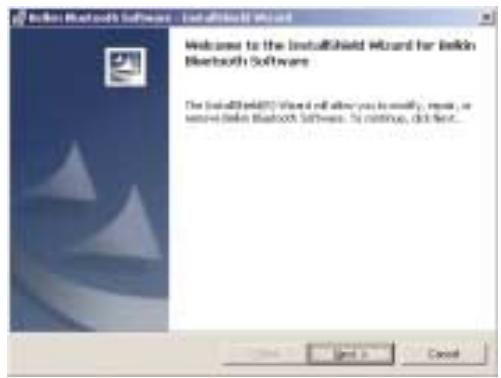
- The "InstallShield Wizard" should automatically load. If it does not load, explore the CD and run the "Setup.exe" file.
- The "InstallShield" window should now appear. Click "Next".
UNINSTALLING THE SOFTWARE [CONT'D]
-
Click "Remove" to initiate the UninstallShield and remove the software from your PC.
-
Click "Finish" to complete the uninstall.
![BELKIN CARTE PC BLUETOOTH F8T002FR #F8T002FR - UNINSTALLING THE SOFTWARE [CONT'D] - 1](/content/2019/07/160131/images/4219acea7e57c8005c8ff293a3d3a5db993cd4a402796f523ef4eb63f65f2fb5.jpg)
![BELKIN CARTE PC BLUETOOTH F8T002FR #F8T002FR - UNINSTALLING THE SOFTWARE [CONT'D] - 2](/content/2019/07/160131/images/0547d982333f1491df4384913fd9610194e48d1d6c97d44f3c3e098e38613a82.jpg)
GLOSSARY
| Authentication | Security feature that requires users to verify a numeric password before exchanging data. |
| Authorization | Security feature that requires user approval before another user is allowed to share data. |
| Bluetooth Neighborhood | A collection of Bluetooth devices. |
| Bonded Device | Recognized by your device so as not to require authentication or authorization. |
| Device | Bluetooth device. |
| Device Address | Unique electronic address of a Bluetooth device. |
| Device Discovery | The location and recognition of one Bluetooth device by another. |
| Device Group | Compilation of several Bluetooth devices into a group, normally to conduct related tasks. |
| Device Name | Name that a Bluetooth device provides when discovered by another device. |
| Service Discovery | Determines which applications other devices have in common with yours. |
FCC/CE STATEMENT
DECLARATION OF CONFORMITY WITH FCC RULES FOR ELECTROMAGNETIC COMPATIBILITY
We, Belkin Components, of 501 West Walnut Street, Compton, CA 90220, declare under our sole responsibility that the product,
F8T002
to which this declaration relates, complies with Part 15 of the FCC Rules. Operation is subject to the following two conditions: (1) this device may not cause harmful interference, and (2) this device must accept any interference received, including interference that may cause undesired operation.
Caution: Exposure to Radio Frequency Radiation.
The radiated output power of this device is far below the FCC radio frequency exposure limits. Nevertheless, the device shall be used in such manner that the potential for human contact normal operation is minimized.
When connecting an external antenna to the device, the antenna shall be placed in such a manner to minimize the potential for human contact during normal operation. In order to avoid the possibility of exceeding the FCC radio frequency exposure limits, human proximity to the antenna shall not be less than 20cm (8 inches) during normal operation.
Federal Communications Commission Notice
This equipment has been tested and found to comply with the limits for a Class B digital device, pursuant to Part 15 of the FCC Rules. These limits are designed to provide reasonable protection against harmful interference in a residential installation.
This equipment generates, uses, and can radiate radio frequency energy. If not installed and used in accordance with the instructions,
FCC/CE STATEMENT [CONT'D]
it may cause harmful interference to radio or television reception, which can be determined by turning
the equipment off and on, the user is encouraged to try and correct the interference by one or more of the following measures:
- Reorient or relocate the receiving antenna.
- Increase the distance between the equipment and the receiver.
- Connect the equipment to an outlet on a circuit different from that to which the receiver is connected
- Consult the dealer or an experienced radio/TV technician for help.
Modifications
The FCC requires the user to be notified that any changes or modifications to this device that are not expressly approved by Belkin Components may void the users authority to operate the equipment.
Canada- Industry Canada (IC)
The wireless radio of this device complies with RSS 139 & RSS 210 Industry Canada. This Class B digital complies with Canadian ICES-003.
Radio products with the CE 0682 or CE alert marking comply
with the R&TTE Directive (1995/5/EC) issued by the Commission
of the European Community.
CE 0682①
FCC/CE STATEMENT [CONT'D]
Compliance with this directive implies conformity to the following European Norms (in brackets are the equivalent international standards).
C 0682①
- EN 60950 (IEC60950) - Product Safety
- EN 300 328 Technical requirement for radio equipment
- ETS 300 826 General EMC requirements for radio equipment
To determine the type of transmitter, check the identification label on your Belkin product.
Products with the CE marking comply with the EMC Directive (89/336/EEC) and the Low Voltage Directive (72/23/EEC) issued by the Commission of the European Community. Compliance with these directives implies conformity to the following European Norms (in brackets are the equivalent international standards).
- EN 55022 (CISPR 22) - Electromagnetic Interference
EN 55024 (IEC61000-4-2,3,4,5,6,8,11)-Electromagnetic Immunity - EN 61000-3-2 (IEC61000-3-2) - Power Line Harmonics
EN 61000-3-3 (IEC61000) - Power Line Flicker
EN 60950 (IEC60950) - Product Safety
Products that contain the radio transmitter are labeled with CE 0682 or CE alert marking and may also carry the CE logo.
![BELKIN CARTE PC BLUETOOTH F8T002FR #F8T002FR - FCC/CE STATEMENT [CONT'D] - 1](/content/2019/07/160131/images/a11108ed731be4cc255fc5c9fd60e5ffb355241c39b5b7ae082871aa481db6c0.jpg)
INFORMATION
Belkin Components Limited One Year Product Warranty
Belkin Components warrants this product against defects in materials and workmanship for its warranty period. If a defect is discovered, Belkin will, at its option, repair or replace the product at no charge provided it is returned during the warranty period, with transportation charges prepaid, to the authorized Belkin dealer from whom you purchased the product. Proof of purchase may be required.
This warranty does not apply if the product has been damaged by accident, abuse, misuse, or misapplication; if the product has been modified without the written permission of Belkin; or if any Belkin serial number has been removed or defaced.
THE WARRANTY AND REMEDIES SET FORTH ABOVE ARE EXCLUSIVE IN LIEU OF ALL OTHERS, WHETHER ORAL OR WRITTEN, EXPRESSED OR IMPLIED. BELKIN SPECIFICALLY DISCLAIMS ANY AND ALL IMPLIED WARRANTYES, INCLUDING, WITHOUT LIMITATION, WARRANTYES OF MERCHANTABILITY AND FITNESS FOR A PARTICULAR PURPOSE.
No Belkin dealer, agent, or employee is authorized to make any modification, extension, or addition to this warranty.
BELKIN IS NOT RESPONSIBLE FOR SPECIAL, INCIDENTAL, OR CONSEQUENTIAL DAMAGES RESULTING FROM ANY BREACH OF WARRANTY, OR UNDER ANY OTHER LEGAL THEORY, INCLUDING BUT NOT LIMITED TO, LOST PROFITS, DOWNTIME, GOODWILL, DAMAGE TO OR REPROGRAMMING, OR REPRODUCING ANY PROGRAM OR DATA STORED IN, OR USED WITH, BELKIN PRODUCTS.
Some states do not allow the exclusion or limitation of incidental or consequential damages or exclusions of implied warranties, so the above limitations of exclusions may not apply to you. This warranty gives you specific legal rights, and you may also have other rights that vary from state to state.
P74072ea_F8T002_man.qxd 18-0

14:10
Page 31
BELKIN
CARTE PC BLUETOOTH™
MANUEL DE L'UTILISATEUR

Bluetooth
F8T002
TABLE DES MATIÈRES
Canada-Industry Canada (IC)
PROGRAMM “MY BLUETOOTH PLACES”
PROGRAMM “MY BLUETOOTH PLACES” (FORTS.)
PROGRAMM "MY BLUETOOTH PLACES" (FORTS.)
PROGRAMM “MY BLUETOOTH PLACES” (FORTS.)
PROGRAMMA 'MY BLUETOOTH PLACES'
Canada-Industry Canada (IC)
Tensione erogata: 5,0 V DC
IL PROGRAMMA “MY BLUETOOTH PLACES”
IL PROGRAMMA “MY BLUETOOTH PLACES” (CONTINUA)
IL PROGRAMMA “MY BLUETOOTH PLACES” (CONTINUA)
IL PROGRAMMA “MY BLUETOOTH PLACES” (CONTINUA)
Bluetooth Neighborhood
Canada- Industry Canada (IC)
Alcance de operation:
Topologia de red
Dimensiones: 100.7mm (L) x 54mm (A) x 5mm (Alt)
Peso.
93% (sin condensation)
5.0VCC
350mA
501 West Walnut Street
Compton · CA · 90220 · USA
Tel: 310.898.1100
Fax:3
Belkin Components, Ltd.
Express Business Park • Shipton Way
Rushden · NN10 6GL · United Kingdom
Tel: +44 (0) 1933 35 2000
Fax: +44 (0) 1933 31 2000
Belkin Components B.V.
Starparc Building • Boeing Avenue 333
1119 PH Schiphol-Rijk • The Netherlands
Tel: +31 (0) 20 654 7300
Fax: +31 (0) 20 654 7349
Belkin Components, Ltd.
7 Bowen Crescent • West Gosford
NSW 2250 · Australia
Tel: +61 (0) 24372 8600
Fax:+61(0)24378603
P74072ea
© 2002 Belkin Components. All rights reserved. All trade names are registered trademarks of respective manufacturers listed.
The Bluetooth name and the Bluetooth trademarks are owned by Bluetooth SIG, Inc., and are used by Belkin Components under license.
© 2002 Polkin Corporation. All rights reserved. All rights reserved.
De Nam Brithn n de h i t e te d e e e e e e e e e e e e e e e e e e e e e e e e e e e e e e e e